 Macromolecular
 Soft Condensed
  Imaging and
 Biological
 Magnetic
 Structures and
 Crystallography
  Spectroscopy
 Upstream
There are tools built into the synchweb interface to the ISPyB database to use Diamond's data reduction pipelines on our cluster to reprocess your data. Datasets can be reprocessed with some basic parameters changed (e.g spacegroup, unit cell), however for full power over input parameters, this will need to be done manually. If you wish to reprocesses a large number of datasets, please get in touch with the mx-analysis team at Diamond, where somebody will be able to assist you.
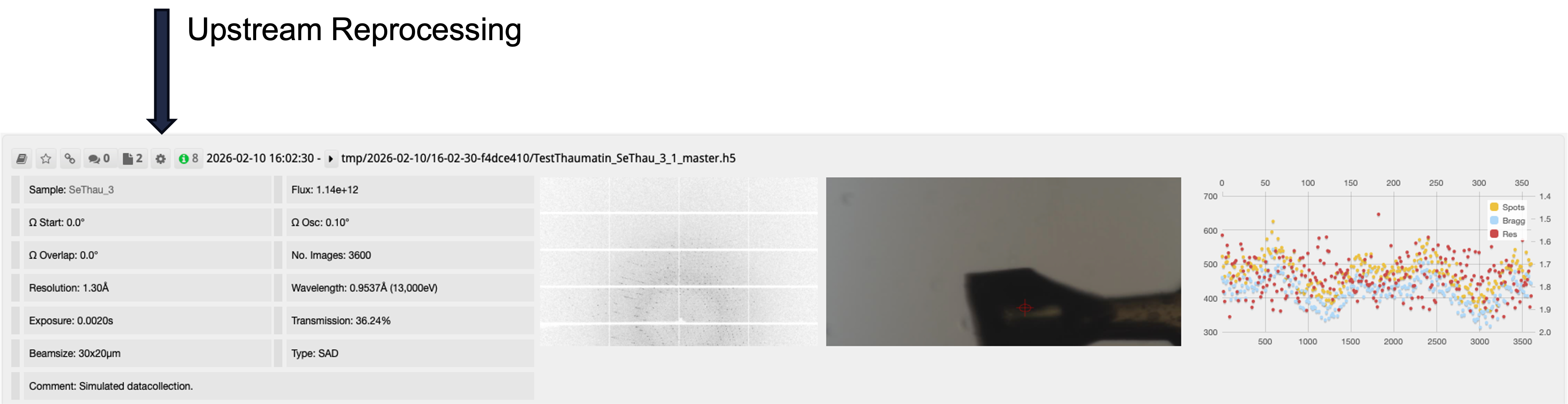
To reprocess data click the Gear icon on the associated data set:
This raises the reprocessing interface:
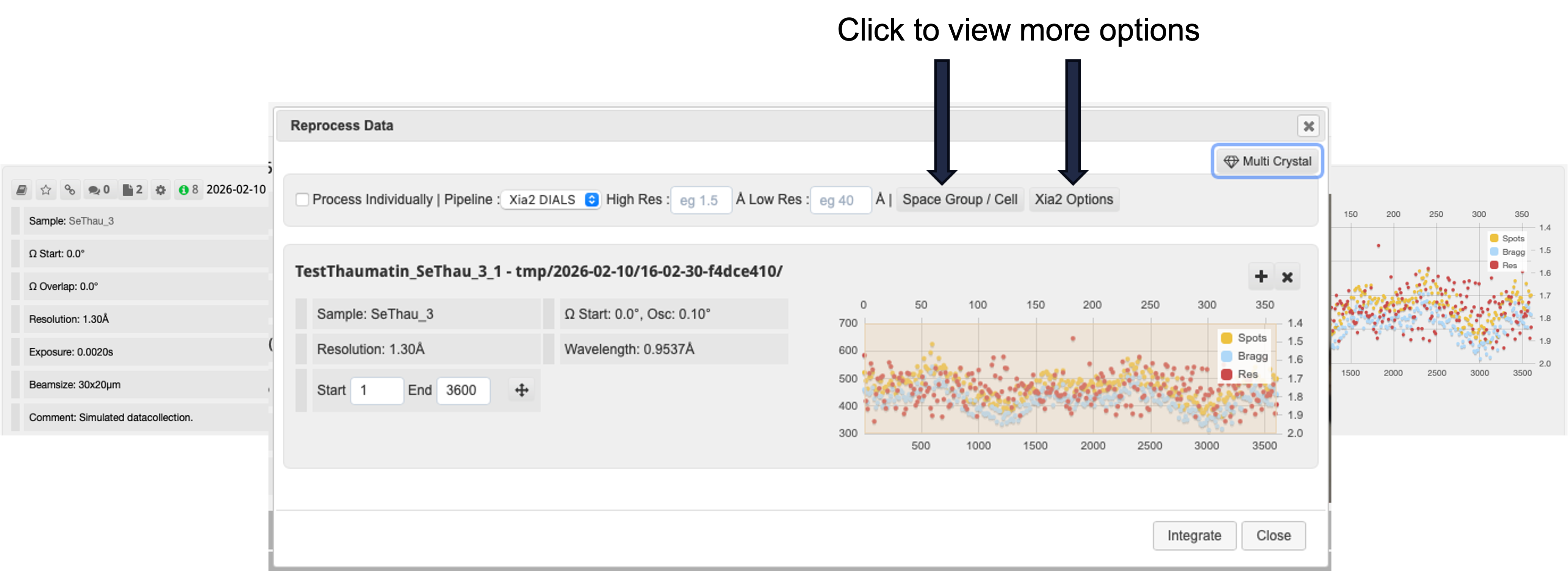
Here you can select:
- to use XDS 3dii or DIALS processing software run via xia2, FAST_DP or autoPROC
- set a high resolution cut off
- clicking space/group cell provides fields to provide input values
You can also set start and end image numbers via the fields Start and End. Alternatively you can left mouse drag on the spot analysis interface to select fields. Such as in case where there is radiation damage. Selected images will be shown on the spot analysis interface:
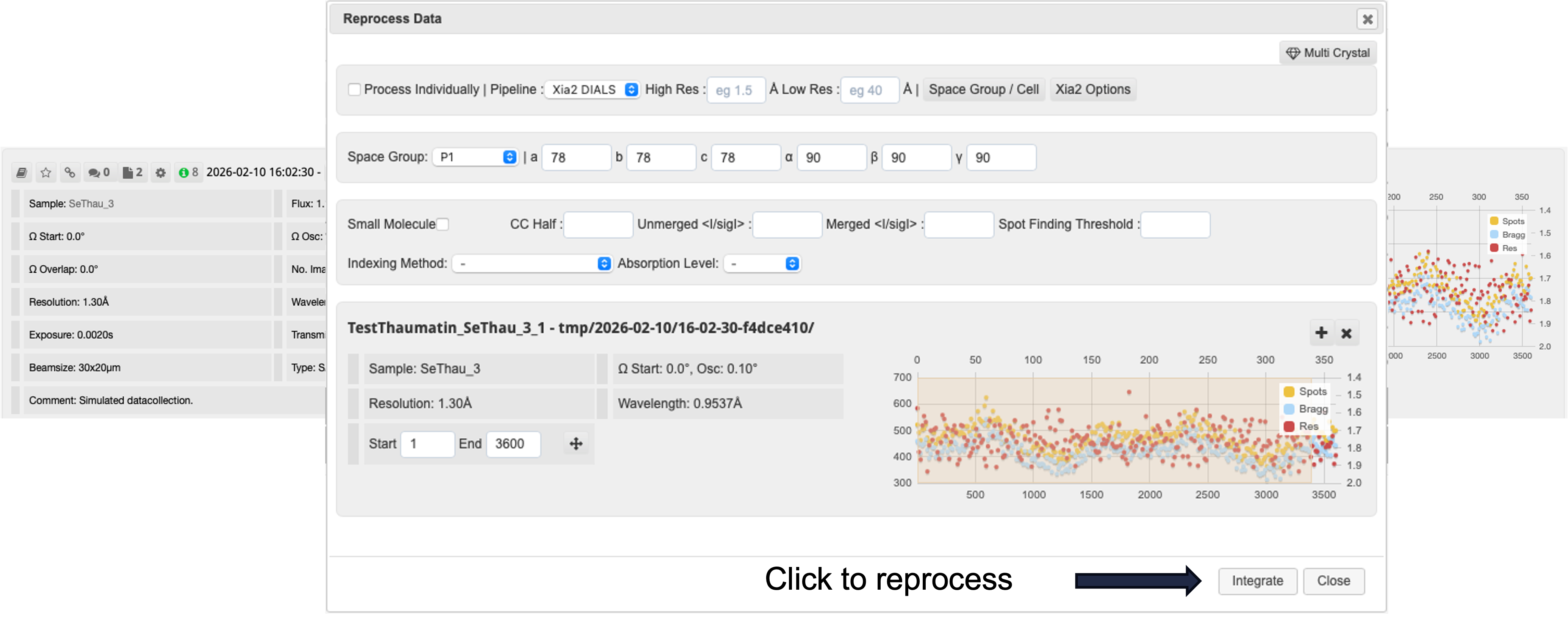
Clicking Integrate will start the reprocessing task on our cluster. Results will appear as another tab on the relevant data collection autoprocessing view
Downstream
A classic example: I forgot to add sample information before taking my data – what can I do? A new Downstream Processing button has been added to the ISPyB page allowing users to do reprocess data! This means you can go back and add your pdb file, anomalous scatterer or protein sequence and then retrigger the downstream processing.
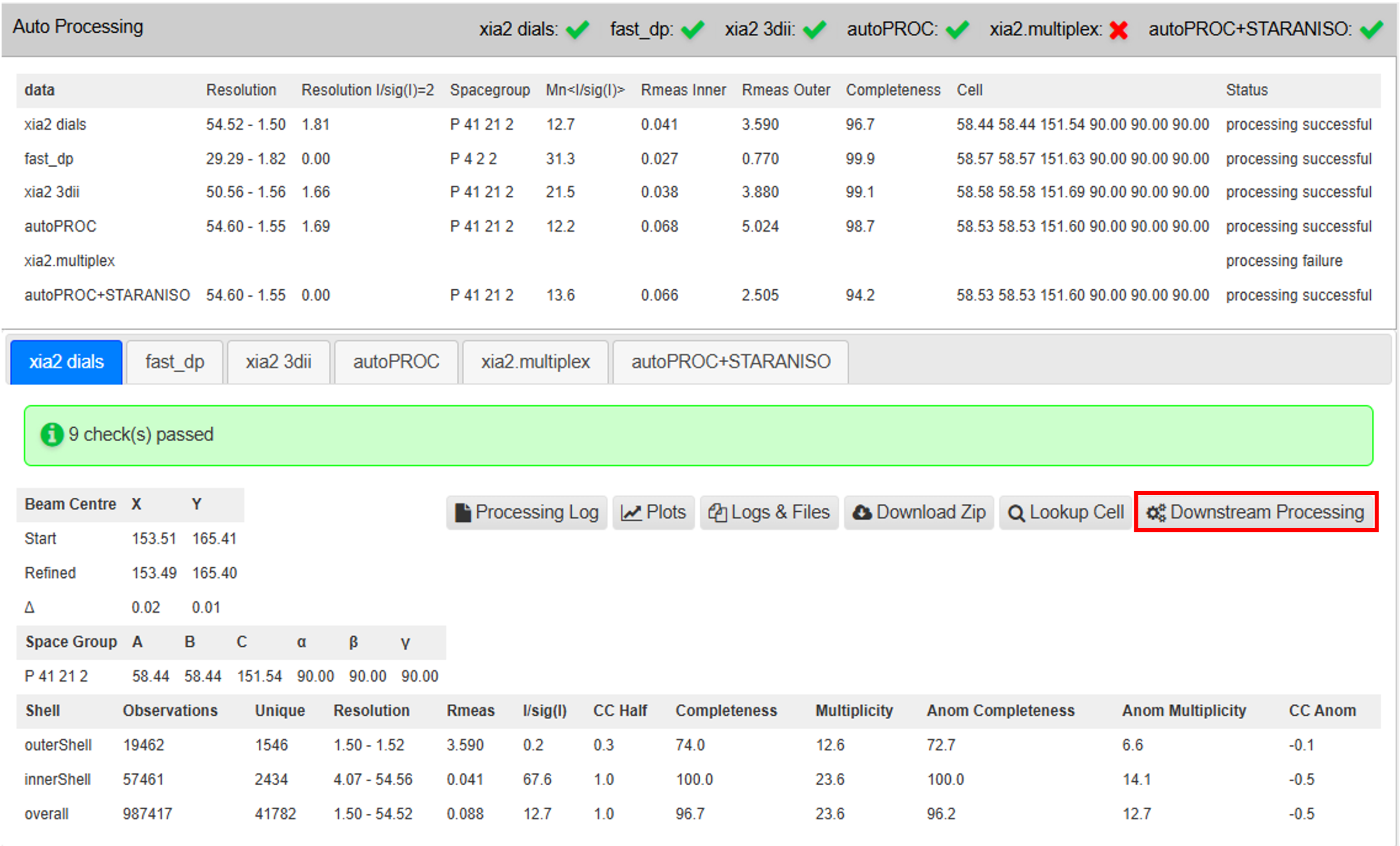
Using the downstream processing button:
Click the button to open the downstream processing dialogue. Select the auto-processing pipeline tab to trigger downstream processing from (xia2-dials in this example). Select the pipeline to trigger from the dropdown menu and then submit.

The following notification will then appear and processing will begin:

Removing Frames with Radiation Damage
- You can select a subset of frames when reprocessing data through ISPyB.
- This can be handy for removing frames with high levels of radiation damage.
- You can either type in start and end frame numbers, or click and drag across the PIA plot.
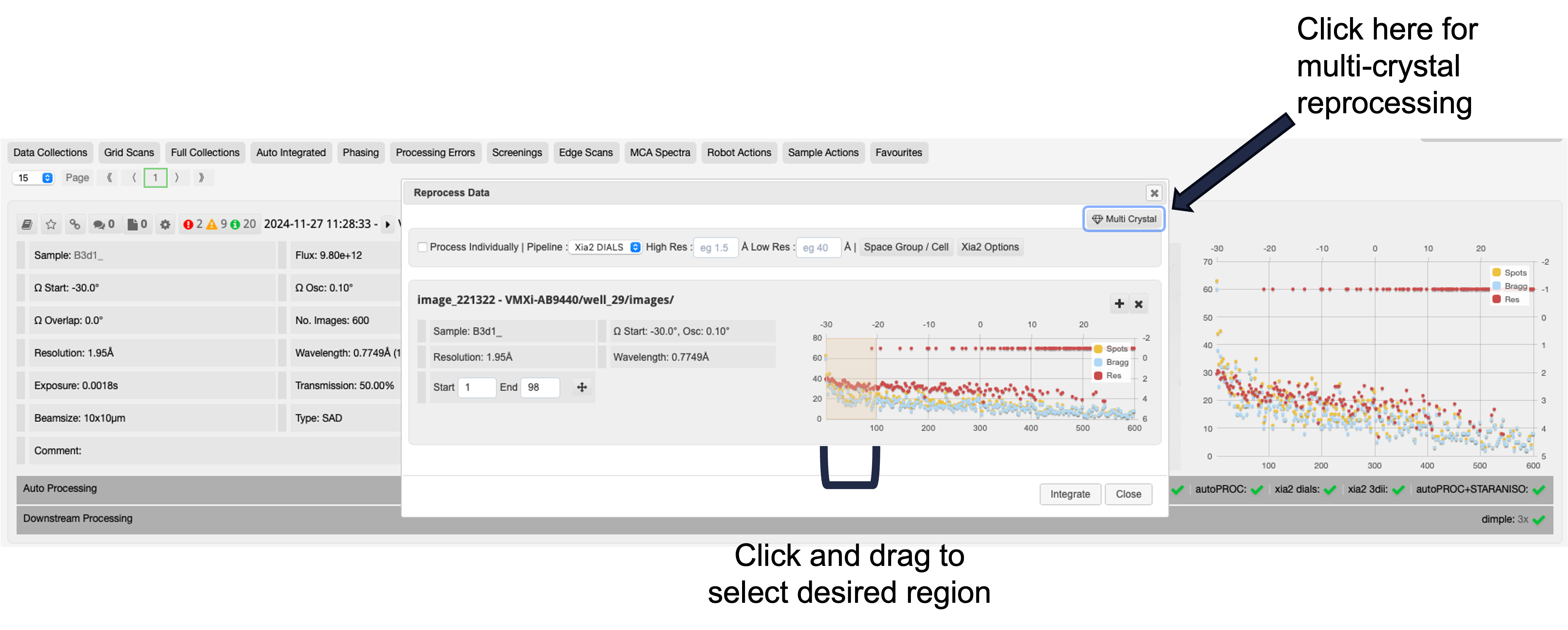
Multiple Sweep or Multiple Crystal Reprocessing
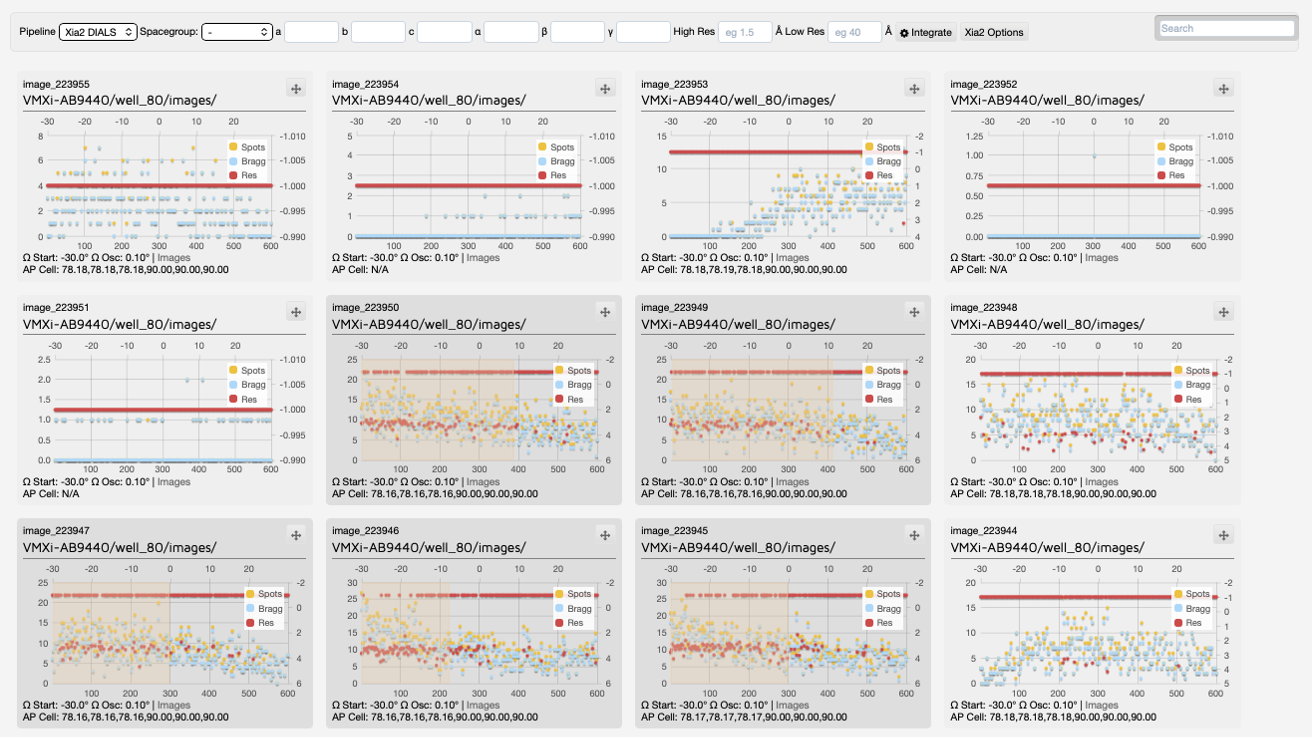
You can also merge specific images together from multiple datasets by clicking ‘multi-crystal’ and choosing which frames from which crystals to merge together from the visit – NOTE this will run multi-xia2 and NOT xia2.multiplex.

Diamond Light Source is the UK's national synchrotron science facility, located at the Harwell Science and Innovation Campus in Oxfordshire.
Diamond Light Source Ltd
Diamond House
Harwell Science & Innovation Campus
Didcot
Oxfordshire
OX11 0DE
Copyright © Diamond Light Source. Diamond Light Source® and the Diamond logo are registered trademarks of Diamond Light Source Ltd
Registered in England and Wales at Diamond House, Harwell Science and Innovation Campus, Didcot, Oxfordshire, OX11 0DE, United Kingdom. Company number: 4375679. VAT number: 287 461 957. Economic Operators Registration and Identification (EORI) number: GB287461957003.