Instruments by Science Group
 Macromolecular
 Soft Condensed
  Imaging and
 Biological
 Magnetic
 Structures and
 Crystallography
  Spectroscopy
 I16 Contact
Beamline Phone Number:
+44 (0) 1235 778616
Principal Beamline Scientist:
Alessandro Bombardi
Tel: +44 (0) 1235 778226
E-mail: [email protected]
I16 Materials and Magnetism
Status: Operational
Energy: 2.7 - 15 keV
Imaging
Spectroscopy
X-ray Diffraction
WAXS: Wide Angle X-ray Scattering
X-ray Single Crystal Diffraction
High Pressure
Scattering
Bragg CDI
CDI: Coherent Diffraction Imaging
Ptychography
GIWAXS: Grazing Incidence WAXS
SXRD: Surface X-ray Diffraction
Spectroscopy
XMLD: X-Ray Magnetic Linear Dichroism
XMCD: X-ray Magnetic Circular Dichroism
XRR: X-ray Reflectivity
REXS: Resonant Elastic X-ray Scattering
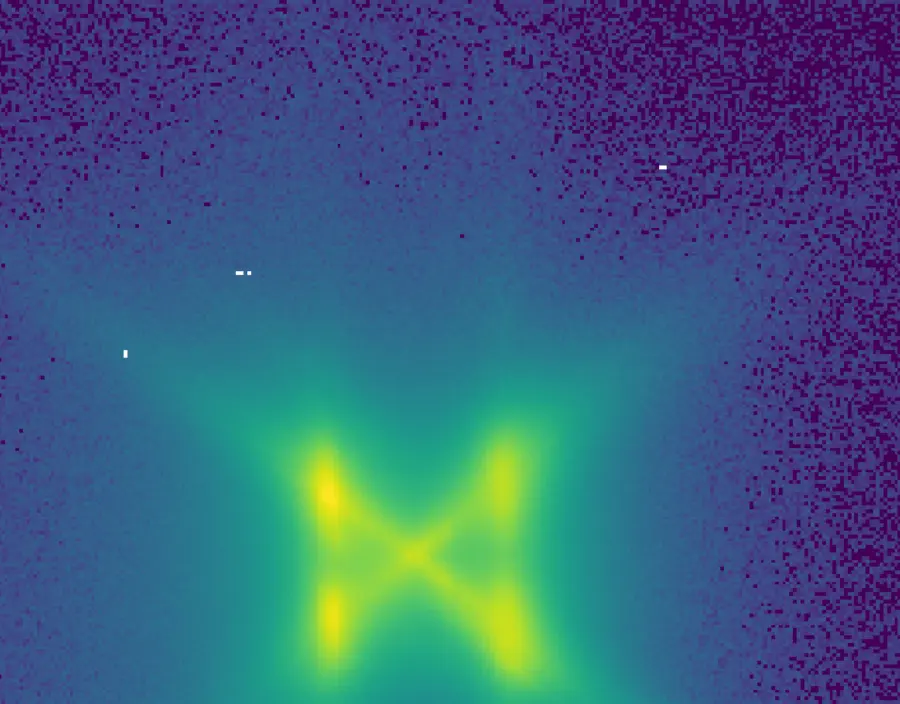
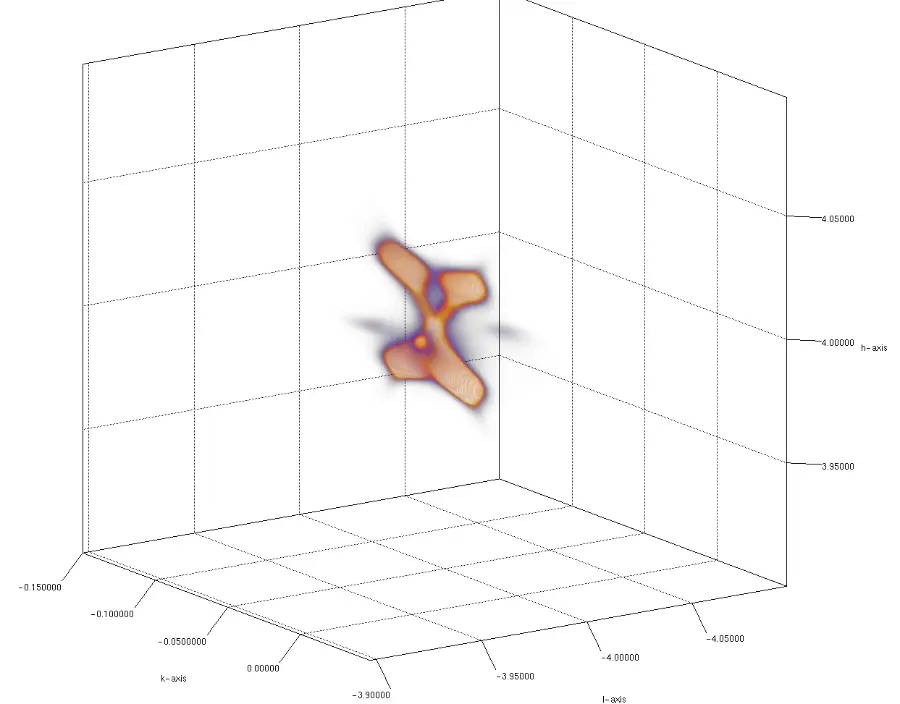
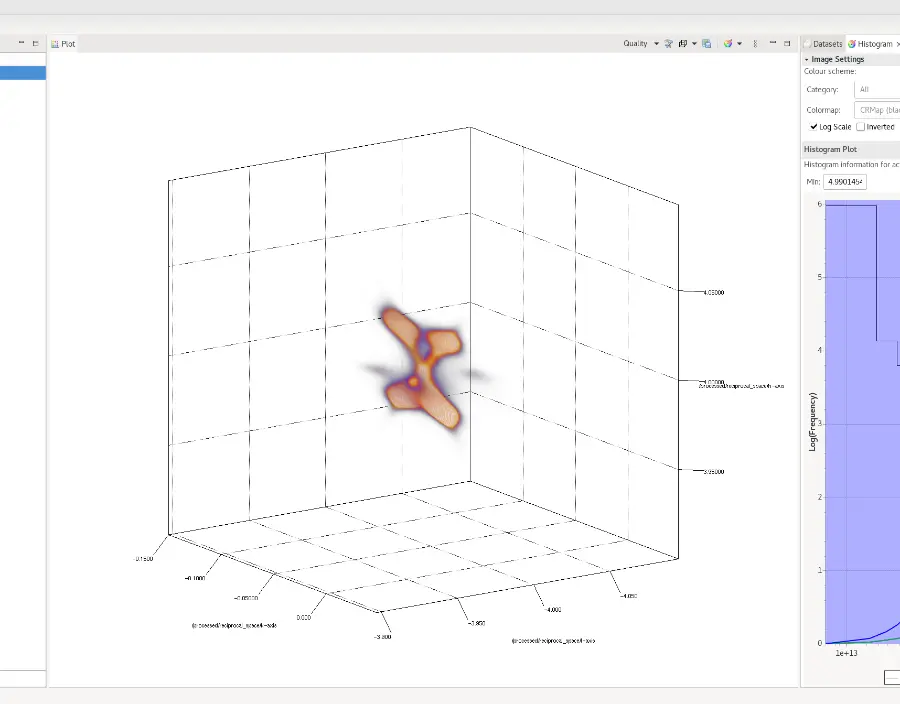
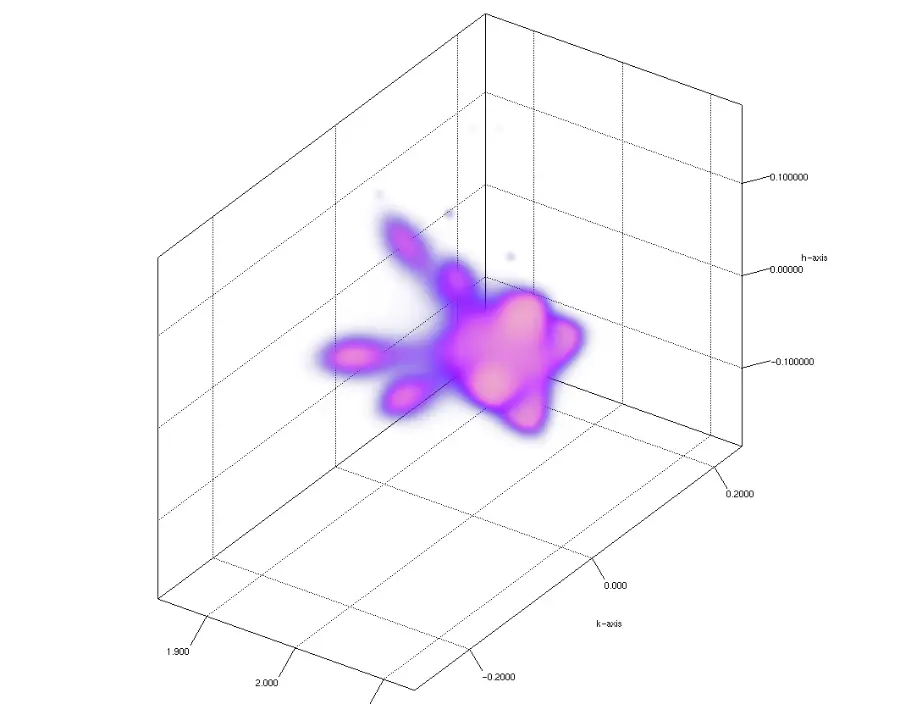
Area detector exposures from the pilatus3_100K or Merlin area detectors can be re-mapped onto a reciprocal-space Cartesian grid, allowing 3D volumes of h,k,l space to be plotted and new slices to be generated.
Re-mapped recirpocal space volumes can be used to determine peak-widths in natural units and allows visualisation of diffuse scattering and strain in Bragg peaks.
The re-mapping can be performed automatically at the end of each scan, or the scans can be re-processed later using a simple command line tool (or a new python GUI).
Calibration
The Pilatus3_100K and Merlin detectors are both fixed in place and their pixel positions have been calibrated vs the direct beam. This calibration, along with the diffractometer angles and the sample orientation matrix are stored in the NeXus scan files. These files are all that is required to perform the re-mapping procedure.
Normalisation
Normalisation of pixels-per-voxel is performed ensuring the correct intensity is assigned to each voxel. Each voxel is normalised by the volume of reciprocal space it suptends. Additional normalisation can be performed against the monitor, right current and beam polarisation.
Usage - Beamline
To run a scan with automatic msmapper from GDA:
|
>>> scancn eta 0.01 101 msmapper pil 1 roi1 roi2 |
This creates a hkl remapped file in the mm12345-1/processed directory with automatic volume and voxel step 0.01, then runs an autoprocssor jupyter notebook to analyse the remapped file. Result are visible in ispyb.
To run msmapper on previously completed scans from an I16 workstation:
|
$ module load msmapper $ rs_map -s 0.002 --monitor rc -o /dls/i16/data/2024/mm12345-1/processing/12345_remap.nxs /dls/i16/data/2024/mm12345-1/12345.nxs |
or use the cluster:
|
$ module load msmapper $ i16_cluster_submit rs_map -s 0.002 -O Volume_HKL -o /dls/i16/data/2024/mm12345-1/processing/12345_remap.nxs --cores 4 --memory 2G /dls/i16/data/2024/mm12345-1/12345.nxs |
To run a jupyter notebook to load and analyse a remapped scan (after msmapper has been performed)
|
$ module load python $ python /dls_sw/i16/software/python/jupyter_processor/jproc.py mapper /dls/i16/data/2024/mm12345-1/12345.nxs >> creates mm12345-1/processing/12345_remap.html |
To reprocess the data using a python gui:
|
$ module load msmapper/1.8 $ python -m pip install --upgrade git+https://github.com/DiamondLightSource/i16_msmapper.git $ python -m i16_msmapper |
More Information and Examples
More information about MSMapper can be found on the i16_msmapper GitHub page, including instructions on installing MSMapper and the python wrapper locally (currently in testing).
https://github.com/DiamondLightSource/i16_msmapper
There is also more information on the beamline Confluence page (within Diamond only):
Navigation
If you have any comments, suggestions or corrections, please contact a member of the beamline staff.

Diamond Light Source is the UK's national synchrotron science facility, located at the Harwell Science and Innovation Campus in Oxfordshire.
Diamond Light Source Ltd
Diamond House
Harwell Science & Innovation Campus
Didcot
Oxfordshire
OX11 0DE
Copyright © Diamond Light Source. Diamond Light Source® and the Diamond logo are registered trademarks of Diamond Light Source Ltd
Registered in England and Wales at Diamond House, Harwell Science and Innovation Campus, Didcot, Oxfordshire, OX11 0DE, United Kingdom. Company number: 4375679. VAT number: 287 461 957. Economic Operators Registration and Identification (EORI) number: GB287461957003.