Instruments by Science Group
 Macromolecular
 Soft Condensed
  Imaging and
 Biological
 Magnetic
 Structures and
 Crystallography
  Spectroscopy
 I19 Contact
Beamline Phone Number:
+44 (0) 1235 778418
Principal Beamline Scientist:
Dave Allan
Tel: +44 (0) 1235 778644
E-mail: [email protected]
Science Group Leader
Philip Chater
Email: [email protected]
Tel: +44 (0)1235 778677
I19 Small Molecule Single Crystal Diffraction
Status: Operational
Wavelength: 0.5 - 2.5 Å
Energy: 5 - 25 keV
Energy: 5 - 25 keV
Webcams
It is recommended that the webcams are viewed in ISPyB, to save screen space and demand on the network - opening too many instances results in overload and the cameras not working at all.
If necessary, the 2 webcams in EH1 can be accessed by typing the following URL’s in a Firefox window:
i19-webcam10.diamond.ac.uk - to view the sample position
i19-webcam11.diamond.ac.uk - to watch the robot, or for a general view of the hutch
Alternatively, click on WEB10 and WEB11 in the synoptic (either side of Experimental Hutch 1)
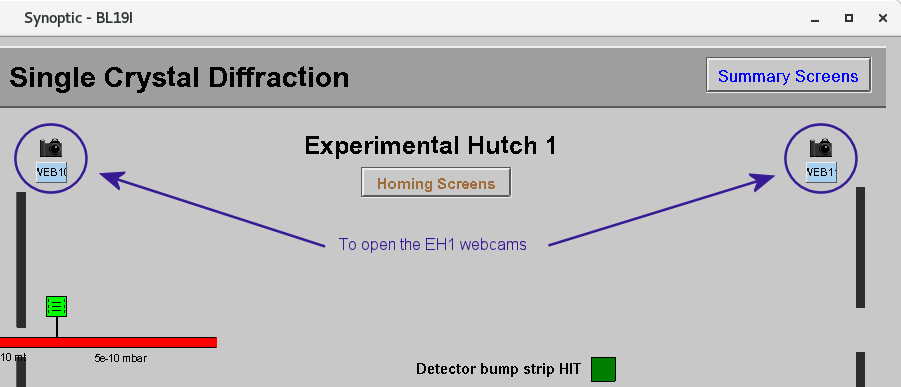
And decide whether to open using Firefox for camera control or as image only – the image only option is better as it is less demanding over the network.
Sample Position Camera
It is highly recommended to have OAV2 open at all times
It lets you easily see if there is a sample loaded or not and gives a good view of the robot loading/unloading, in case there are any issues. It also gives a good indication of where to move the sample if it isn't visible on the OAV view in GDA.
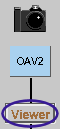
The sample position camera is opened through the synoptic by clicking on Viewer, under OAV2.
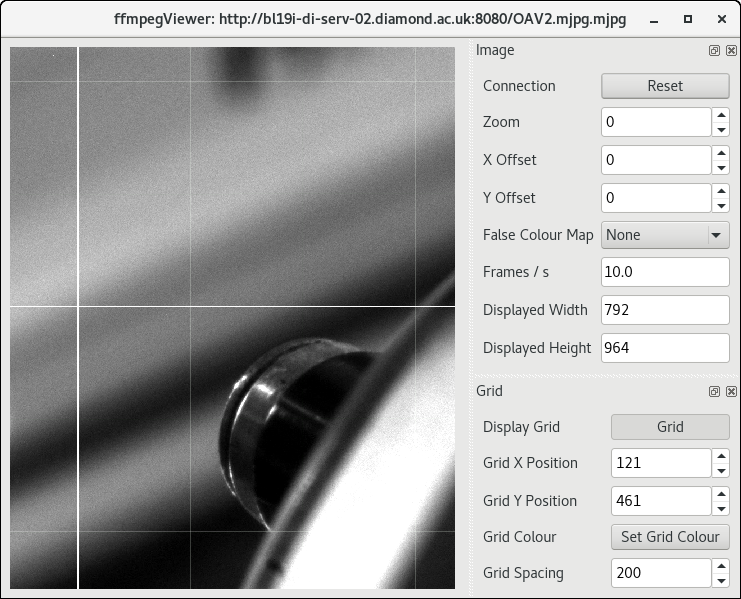
The sections on the right side of the camera view can be closed to make the window smaller and the window can be resized to fit the space available.
If no image is visible, check the camera is on by clicking on the picture of the camera above the word OAV2 and checking the box next to Acquire is bright green - press Start, if necessary, to start the camera.
Beam Position Cameras
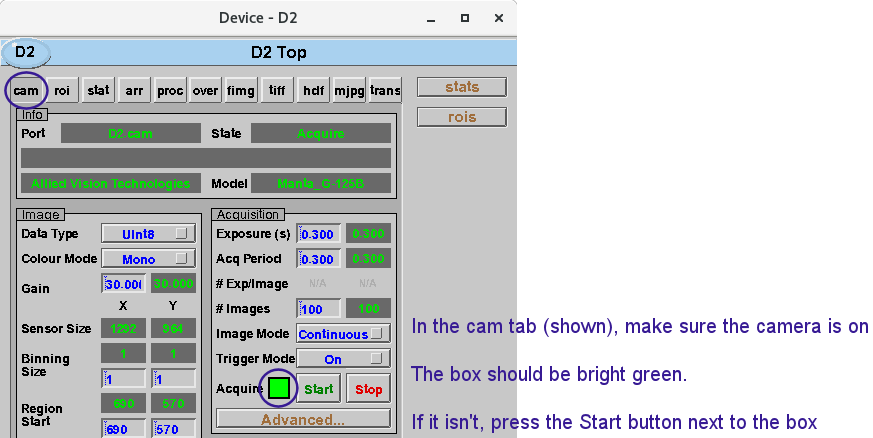
D2 shows the beam in the optics hutch just after the DCM, and D4 shows the beam in EH1.
Open D2 and D4 by clicking on the Viewer buttons underneath the appropriate name.
Once the image shows a suitably zoomed in view of the beam and the colour map has been changed to rainbow to make the image clearer, the sections on the right-side of the camera view can be closed. Then the window can be resized to fit the available space.
If no image is visible, check the camera is on by clicking on the picture of the camera  above the camera name and checking the box next to Acquire is bright green - press Start, if necessary, to start the camera.

Diamond Light Source is the UK's national synchrotron science facility, located at the Harwell Science and Innovation Campus in Oxfordshire.
Diamond Light Source Ltd
Diamond House
Harwell Science & Innovation Campus
Didcot
Oxfordshire
OX11 0DE
Copyright © Diamond Light Source. Diamond Light Source® and the Diamond logo are registered trademarks of Diamond Light Source Ltd
Registered in England and Wales at Diamond House, Harwell Science and Innovation Campus, Didcot, Oxfordshire, OX11 0DE, United Kingdom. Company number: 4375679. VAT number: 287 461 957. Economic Operators Registration and Identification (EORI) number: GB287461957003.