Contacts
During beamtime:
Ask your Local Contact
IT support and data access queries:
[email protected]
Urgent queries: Ext. 8271
FedID & FedID password issues
[email protected]
Available Mon-Fri 08:30 - 16:30
Step-by-step guidance for resetting your non-FedID/email-based password
Introduction
Diamond systems such as the user administration system (UAS), ISPyB and the Diamond publications database all use the same authentication system. If you forget or need to change your non-FedID (email-based) password, here are the steps you need to follow to reset it.
-
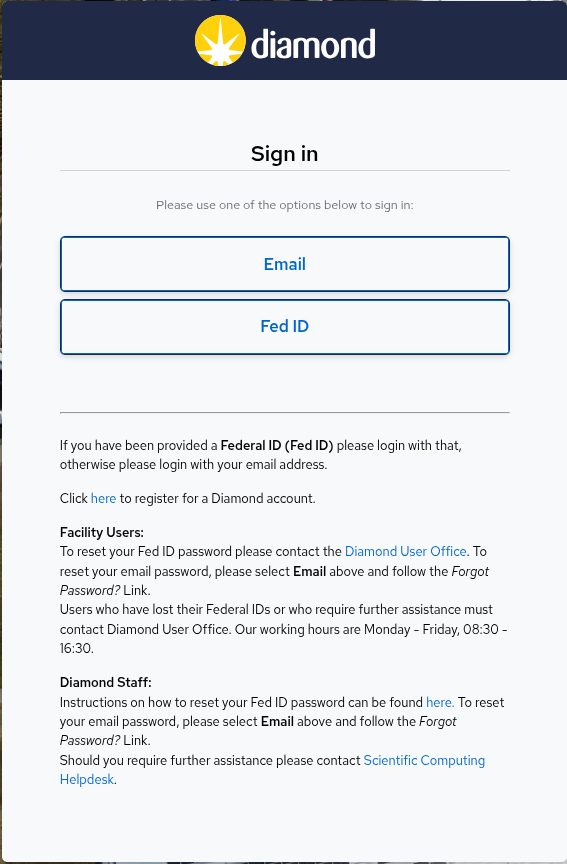
At the login screen - select "Email"
-
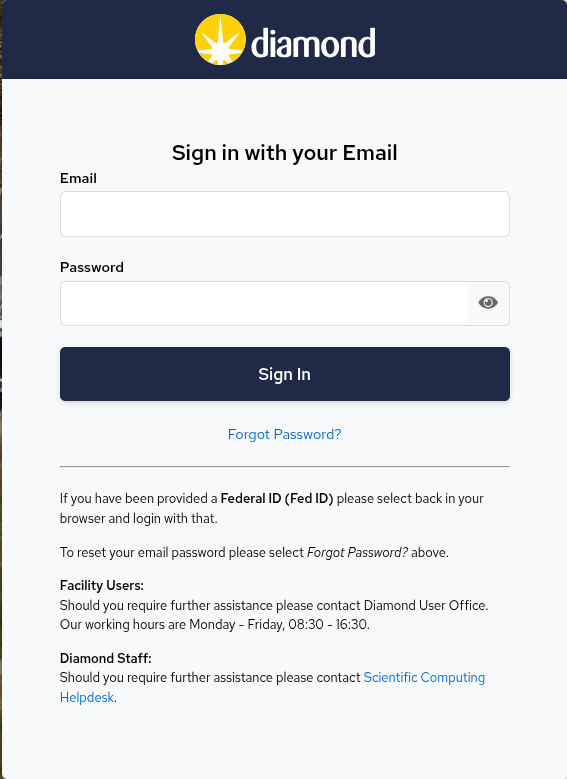
On the Email login screen - select "Forgot Password?"
-
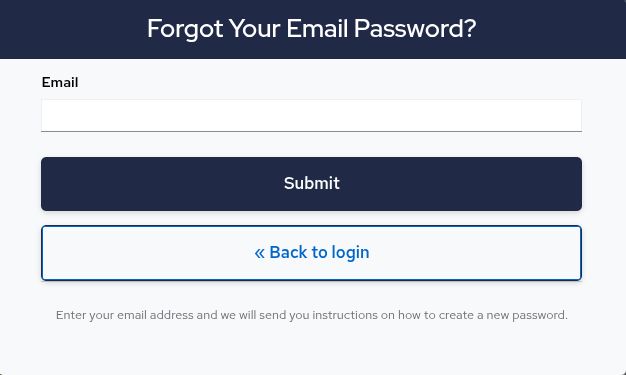
Enter email address screen - enter your email address. If your email address is registered within UAS, you will be emailed with password reset instructions
-
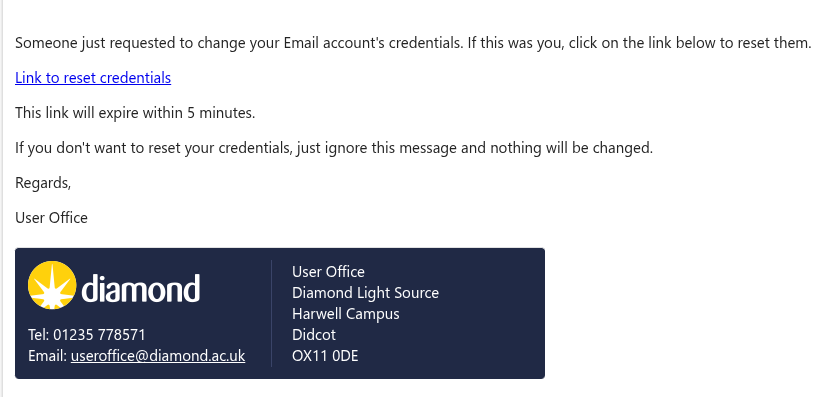
Password reset email - This contains a personalised link. You should click on the link. If the link expires, then you should restart the process
-
Enter new password screen - You must enter the new password twice. If the passwords match, the password will be updated, and you will then be able to log in with the new password.
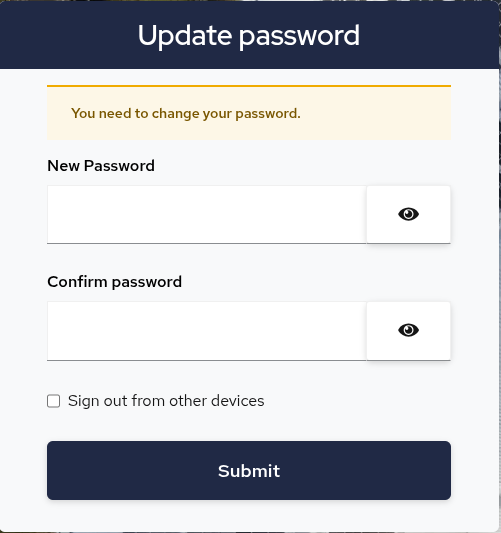
Rules on what can and cannot be included in passwords can be found here.

Diamond Light Source is the UK's national synchrotron science facility, located at the Harwell Science and Innovation Campus in Oxfordshire.
Diamond Light Source Ltd
Diamond House
Harwell Science & Innovation Campus
Didcot
Oxfordshire
OX11 0DE
Copyright © Diamond Light Source. Diamond Light Source® and the Diamond logo are registered trademarks of Diamond Light Source Ltd
Registered in England and Wales at Diamond House, Harwell Science and Innovation Campus, Didcot, Oxfordshire, OX11 0DE, United Kingdom. Company number: 4375679. VAT number: 287 461 957. Economic Operators Registration and Identification (EORI) number: GB287461957003.